Saturday, August 30, 2014

Watermark.ws makes “marking” image easy, and preserves your embedded metadata


I just ran a few tests the other day on the Watermark.ws service to see how it deals with embedded photo metadata. The good news is that it does preserve all of the embedded metadata (IPTC, XMP and Exif)! Their promo page doesn’t mention this as a feature, but I would suggest they add this as it is a benefit. If you are only interested in the technical aspects, jump down to the section on “Notes on the Service.”

There is no cost to use the service (though it’s not clear if that will be the case forever). Watermark.ws is a free service provided by Much Media Inc, of Ontario Canada. The terms of service (TOS) do note that “Much Media Inc retains the right to create limits on use and storage in its sole discretion at any time with or without notice.”  As far as ownership of the images you watermark, Section 2 states “As between you and Much Media Inc, however, you own and retain sole and exclusive right, title and interest in and to all of your User Content (subject only to the limited license therein granted to Much Media Inc under this Section 2).”. If that is referencing the fourth paragraph of Section 2, that part reads:

“You acknowledge and agree that if you use any of the Services to contribute User Content to the Site in such manner as to make it available to all users or to permit third parties to contribute Content through your User account, Much Media Inc will have a non-exclusive, worldwide, royalty-free, transferable, sublicensable right, under all of your intellectual property rights, to copy, cache, publish, display, perform, distribute, translate and store such User Content, and to allow third parties to do so in connection with the marketing or promotion of Much Media Inc, the Site or the Services by such third parties. To the extent allowed by law, the foregoing includes all rights of paternity, integrity, disclosure and withdrawal. You warrant, represent and agree that you have the right to grant Much Media Inc and the Site the rights set forth above.”

I am not a lawyer, so you may want to have yours read over that to see if you are relinquishing copyright to any of your images. From my reading, that latter paragraph seems to contradict the earlier statement in their Terms of Service.

Notes on the Service:
You can log in to the service with Facebook, Google, or enter a password and username of your own choice (curiously there is no method to authenticate with Twitter).

If you are going to be posting the resulting watermarked image on many social media services, keep in mind that many will strip your image of it’s embedded metadata. However, given that the whole point of using Watermark.ws is to add a visible watermark, that’s probably not your primary concern. Rest assured, however, this service does a great job of preserving any IPTC, XMP, or Exif metadata embedded in your image.

It's nice that you can simply drag to an open browser window. Though there is an option to use a standard "upload" dialogue, or even import images from Facebook. As an aside I would recommend watermarking your images BEFORE posting on Facebook -- as the Facebook upload process will strip all embedded metadata.

The options for adding watermarks are fairly straight forward.  You can apply text (with options for various fonts, font colors, "strokes" and more), or upload and apply a logo. At present the service can only deal with logos that are stored in a JPEG or PNG format. It’s curious that there is no support for vector formats, like EPS or Adobe Illustrator “AI” files.

Whether your watermark is text or a logo, you can position by dragging it around on the image in your browser. After applying the watermark, the resulting files can be downloaded as a Zip file (if doing batch).  

As noted previously, the embedded metadata is preserved in your images.

The image quality seems quite good. The overall file size does appear to increase a bit. One of the images I tested was a graphic image (with lots of white) and it went from 203 to 351 kilobytes. However, another image that was a photo increased only marginally; going from 522 to 555 kilobytes after watermark processing.

If keeping file sizes to their absolute minimum is your primary goal, this service may not be the best option. But for those of you that only need to watermark a handful of images at a time before posting on social media, this may be a good option (once you figure out what the Terms of Service mean).


Tuesday, May 7, 2013

Six Ways to Keep your Digital Images from Becoming “Orphan Works”

The UK has recently passed the Enterprise & Regulatory Reform Act by Royal Assent, which, among other things, creates a method by which “Orphan Works” can be exploited. Simply put, if you are unable to identify the copyright holder of any photo, drawing, painting, music, film, etc. -- after conducting a “diligent search”-- then it may be considered an “Orphan Work.” This is a legitimate problem for many galleries, libraries, archives and museums that have acquired works over the years, as without knowing who created each, it’s not possible to know whether copyright is still in effect. For example, If they use a photo to make a postcard to sell in their giftshop, and it turns out that the photographer is still alive they may find themselves in court fending off a copyright infringement.


In 2008 “orphan works” legislation was progressing through the US Congress. A bill did make it through the House, however no corresponding bill ever made it out of the Senate (you may recall fall 2008 was a little hectic what with near financial ruin due to the home mortgage derivatives market collapse). While many thought that would be the end of it, with the UK ERR act passage, this issue may be revisited sooner than some expected.


With all of this in mind, if you are going to share your images in the “World Wild West” here are some ways to make it easier to identify you as the creator/copyright holder of your digital photographs. Taking some (or all of these steps), should mean there’s little chance that you’ll find your images being labeled as “orphan works.”


Add Metadata In-Camera
Some of the higher end digital SLR cameras allow you to add a Creator or Copyright Notice to the Exif metadata that is written to each image file just before it is saved from your camera to your memory card. Many Canon and Nikon models offer this in a number of their midrange or higher end digital cameras. On Nikon cameras you can enter an “Image Comment” using the controls on the back of the camera in the menu. On many Canon models, this is done using software provided by Canon, and then loading this info into your camera via a memory card.


Add Metadata post-capture
As soon as possible in your imaging workflow be sure to embed your Creator and Copyright information as photo metadata using IPTC and XMP standards. Use image applications, browsers or cataloging programs to put in your name as the Creator, and as the Copyright holder in all of the images you have taken before you upload them to the web or distribute to others. To make it easy for others to find you; you may also want to include some basic contact information. At minimum, include your website URL, if not your address, phone number or email address. The Meta tutorials on Photometadata.org will show you how to do this for a variety of applications.


For those of you using iOS “smart-devices” (iPhone & iPod Touch) cameras, check out Marksta, an app that you can use right after you capture an image to add up to about 20 IPTC/XMP metadata values.


Watermark your images
Create a visible watermark that you can place over each of your images. There are numerous tutorials that show you how to do this with Photoshop, Photo Mechanic, Breeze Browser and other applications. I just discovered recently, you can even do this with the free Picasa application from Google (Use the File >> Export Picture To Folder option).  If you are using an iOS “smart-device” (like the iPhone or iPod Touch with cameras), Marksta can apply a visible watermark as well as embed your contact and copyright info.


Carefully Choose Where You Upload Your Images
You will have the most control if you upload and share images from your own website. If you are going to use other services, be sure to first read their terms of service. In addition, you want to make sure that they are not “stripping” your metadata from the images being displayed. The Embedded Metadata Manifesto website has a chart showing which Social Media Networks preserve photo metadata. http://www.embeddedmetadata.org/social-media-test-results.php
You can find other details on many more sites by reviewing the preliminary results of the “The Controlled Vocabulary Survey regarding the Preservation of Photo Metadata by Social Media Websites”. If you don’t find your service of choice, consider adding to the ongoing survey.


Join the PLUS Registry
The Picture Licensing Universal System Coalition is an international non-profit organization with a tightly focused mission: to simplify and facilitate the communication and management of image rights. PLUS membership is free, and allows you to add a Registry listing. Clients will be able to search for you by name, and even search for your images (using an image recognition engine). The PLUS Registry will serve as a global, multilingual hub for other registries, and will allow registration and search using third-party applications and plug-ins.


Register Your Images with the US Copyright Office
This isn’t only for US Citizens. Registering your images gives you additional protections, such as being able to ask for statutory damages and attorney fees if you win an infringement case. Detailed info can be found in the ASMP Copyright Tutorial.

Lastly, while it’s not going to immediately help your own case, please consider supporting the Embedded Metadata Manifesto and lobby against the stripping of metadata from all digital files.

Tuesday, March 12, 2013

IPTC study shows Social Media Networks Remove Metadata


We support the Embedded Metadata Manifesto
As visitors to the PhotoMetadata website know, digital camera files contain more information than just a stream of pixels. Even basic photo editing software, like those covered in the site's Meta Tutorials, allows photographers to embed rights-based information (like a Copyright Notice) and other descriptive information. However, you wouldn't know that from looking at pictures on many social media sites or after downloading them from photo sharing sites. According to a new study just released by the International Press Telecommunications Council (IPTC), major social networks like Facebook, Twitter or Flickr remove copyright information and other useful embedded data from pictures posted by their users.

"A social networking site is only as good as the information its members choose to share. If users provide rights data and descriptions within their images, these data shouldn't be removed without their knowledge", said Michael Steidl, Managing Director of the IPTC, a consortium of the world's major news agencies, news publishers and news industry vendors.

Every day, more and more photos are shared over social media. IPTC was approached by users who discovered that when they shared photos, their embedded metadata disappeared. Earlier this month, the IPTC Photo Metadata Working Group tested 15 social media sites to understand how image sharing, through upload and download, affects the integrity of embedded metadata as defined by IPTC standards and the Exif standard. The results of these tests can be seen at www.embeddedmetadata.org/testresults

The full news release about the Social Media Study is available from the IPTC website.

Monday, December 12, 2011

New Site Launched to Encourage Embedding of Metadata

We support the Embedded Metadata Manifesto

A major initiative to encourage the direct embedding of descriptive and rights information into all manner of digital media has just been launched. Photometadata.org endorses the effort and is helping to spreading the word.


“A picture may be worth 1,000 words, but permanently attached descriptions are worth a lot more as photos travel through the digital world. A campaign has been launched now to embed descriptive and rights information in digital media and to retain it during the whole life cycle.

The initiative has been launched by the International Press Telecommunications Council (IPTC), the American Association of Advertising Agencies (4A's), and the Association of National Advertisers (ANA), with the support of trade organisations representing visual arts and photo agencies. It aims to establish the practice of applying descriptions and the copyright status of the content as metadata, and to embed it permanently during the electronic exchange of digital photo, text, audio or video files.

This practice is based on the principles defined by the Embedded Metadata Manifesto on the web site www.embeddedmetadata.org which invites organisations and individuals to support the campaign.”

Wednesday, October 26, 2011

Why can't I insert metadata at the capture stage?

Mike Ashenfelder from the Library of Congress interviewed me recently for an article on their website Titled "Mission Possible: An Easy Way to Add Descriptions to Digital Photos." He was asking why adding information (metadata) to images is so difficult. I told him that this was an issue I had raised at the First International Photo Metadata Conference in 2007. I noted that photographers need ways to insert metadata as early as possible in the process; and asked why it wasn't possible to have some device that could be used to input information and tag it to the images I was shooting at the time of capture. There were engineers from Canon and Nikon in attendance, and it seemed that they understood the question, but I'm not aware of any progress in this area.

However, since manufacturers and developers do seem respond to input from those who purchase their products, perhaps what is needed is a grass roots appeal? With that in mind, I've included details on how to contact several of the larger digital camera manufacturers. If a number of you contact them, asking if they are working on improvements on how metadata (information) can be added to the Exif or IPTC at the time of capture, perhaps something will change?


Ask them "Why isn't there a 'Add Description' button for my camera?"
 Nikon:
In the section labeled "Inquires" select your country and region for a listing of who to contact. In the US you can call Nikon Technical Support from 8AM - 2AM (Eastern) 7 days a week at 1-800-645-6687.


Canon:
To contact Canon by email
In the US you can you can call Customer Service 1-800-385-2155

Sony:

Pentax:
In the USA call Toll Free: 1-800-224-6767

Olympus:
In the USA call Digital Camera support Monday-Friday, between 9am-9pm Eastern at 1-888-553-4448

Samsung:
There are options to email, phone, or live chat from the link above. 

Let us know if you find anything out by adding a note in the comments below.

Tuesday, December 7, 2010

Can Embedded Photo Metadata Help Your Website SEO?

There have been a number of recent articles pushing the idea that embedded photo metadata can boost your search engine ranking. However, while the practice of adding embedded metadata to increase findability and to protect the intellectual property of an image are both good ideas, there is a hitch to this concept from the Search Engine Optimization (SEO) perspective.

That is, while it is possible for automated search bots to be configured to read the embedded photo metadata embedded in digital images, there is no evidence to suggest that the search engines are currently doing this; nor is there any evidence that it will help with the SEO for your images or your website — at least not without some additional work. That doesn't mean that embedding metadata in your images is not a good practice. It's just at this point in time that it has little value for Search Engine Optimization (SEO).

Read more about what can be done to leverage your metadata work in the article "Why Embedded Photo Metadata Won't Help Your SEO."

Wednesday, December 1, 2010

Myths about photo metadata?

How savvy are you about photo metadata? There are a number of myths or misconceptions that surround the practice of embedding copyright, contact information, and other types of “metadata” into digital image files — like JPEGs, TIFFs, Photoshop, DNG and other Raw files.

Take a look at the list of the Top 12 myths about embedded photo metadata and see if you can tell which are fact and which are fiction.

Here are the top five:

1. Embedded photo metadata is something that is hard to read unless you have Photoshop or some other professional software application.
2. Embedding photo metadata adds a lot of disk space overhead to an image file.
3. Removing embedded photo metadata is against the law.
4. Images that I upload to my social media or photo sharing sites will still retain my embedded photo metadata.
5. Images that I upload to my social media or photo sharing sites will still retain my embedded photo metadata.

Read the other 7 statements in the list as well as all the detailed commentary on the Controlled Vocabulary website.

Monday, October 4, 2010

facebooks new photo sharing fails Photo Metadata testing


I heard on CNET's "Buzz out Loud" Podcast last week that Facebook had updated their photo sharing to accommodate "High Resolution" images.

You can now upload images up to 2048 pixels on the long dimension. Note that I said "upload" -- not view. Your facebook friends (or other viewers if the album is made public) can download these larger sized images, but the online viewing is limited to a version that has been resized to a maximum of 720 pixels wide. I had hoped that this integration of Divvyshot's technology might mean that facebook would finally stop their "stripping" of embedded photo metadata, but that apparently is something that facebook users will still have to lobby for if they expect to see a change.

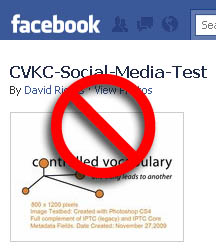
I've made a facebook album page available for public viewing using the CV Social Media Testbed image, which was fully loaded with embedded metadata. The actual image (now sans metadata thanks to facebook) can be viewed at this link. http://sphotos.ak.fbcdn.net/hphotos-ak-ash2/hs316.ash2/59589_455012177944_532727944_5452967_4191590_n.jpg

As noted in the latest report on the "Survey regarding the Preservation of Photo Metadata by Social Media Websites" no metadata from the image is exposed on the facebook site. While there is an option on your facebook page to "Tag This Photo" the system does not pick up any of the embedded metadata tags such as those in the keyword field, like both flickr and Picasa Web Albums can do.

In addition, while the images that can be viewed online are now up to 720 pixels on the long dimension, they are still being "stripped" of all IPTC, XMP, and Exif metadata (ICC profile information is retained). The option for others to download a 'high resolution" version, only prompts a download (you can not view the image online). I downloaded this larger version and tested as well. The only difference between the "high resolution" version and the online 720 pixel wide version, was the resolution -- both are stripped of any information beyond the pixels and the ICC profile. Since all descriptive photo metadata is missing, this would mean that even the "original" is being modified before it is stored on their system -- and potential orphan works are being created, each time you upload an image to facebook.

For those that are concerned about retaining their intellectual properly, facebook receives a failing grade in our book. For now, our recommendation is to stick with Flickr or Picasa Web Gallery.

Tuesday, September 21, 2010

Photo Metadata Utility Developer Gets "The Big Picture"


The SuperUtils company is one of the first software developers to spell out both pro and con arguments for the removal of embedded photo metadata. It is nice to see developers moving in this direction, as too many are intent to spread FUD (Fear, Uncertainty & Doubt) regarding "privacy" in terms of the information that may be divulged in the metadata of a digital image. It would be great if more developers took a similar approach.

Until we have tools that allow for the selective removal of metadata, the prudent approach would be to preserve all the information that is present in the image. If metadata is to be removed; then, at minimum, the person processing, saving, or uploading the image should be warned that this removal is about to happen and/or be informed about the consequences of their actions.

Thursday, July 15, 2010

IPTC-PLUS Toolkit released by IPTC & PLUS


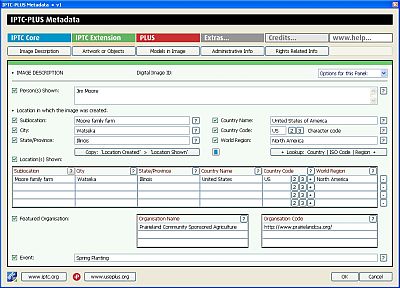
The International Press Telecommunications Council (IPTC) and the Picture Licensing Univeral System (PLUS) have jointly developed a plug-in metadata panel for use in Adobe Bridge (CS3 or higher) which allow users to read/write the full set of fields included in the IPTC Core, IPTC Extension and the PLUS metadata schemas.

Metadata are considered as being critical to the photo business as they are used for searching pictures and to indicate the rights and terms of their use. The tools are, as all IPTC and PLUS applications, free of charge and can be downloaded from the IPTC or PLUS websites.

The included tools help photographers, image libraries and photo agencies to store detailed descriptions of their content and data relevant for managing image copyrights directly in the images.

"IPTC was instrumental in the development of the PLUS Standards, and our active collaboration continues today with the release of the IPTC-PLUS Metadata Panels, allowing image creators, distributors and users to benefit from the full scope of image metadata, all from within a single tool," said Jeff Sedlik, President and CEO of the PLUS Coalition.

The release of this free IPTC-PLUS Toolkit means that anyone with compatible versions of Adobe Bridge will now have the means to easily embed the full set of IPTC fields as well PLUS metadata to digital images. Power users will love the fact that with this IPTC-PLUS Metadata panel you can now export out a full set of metadata fields into a Tab Separated Value (TSV) plain text file. In addition, you can modify that data and then import the resulting information through the same Metadata panel so that it is embedded directly into the file.

Also included in the download are comprehensive user guidelines, mapping charts and example images. The user guidelines define each of the fields available in the Adobe CS5 File Info dialogue, as well as those in the IPTC-PLUS Metadata Panels (IPTC Core, IPTC Extension and PLUS Schemas are covered). The field mapping charts will help those that are used to working with other image metadata tools, and the provided images are preloaded with embedded photo metatadata so you can test if the value of a field is shown in the expected field in the user interface.

Read more and download the IPTC-PLUS Toolkit -- the download file is in the olivey-green side bar at the right (a 9.1 mb download).

Wednesday, February 24, 2010

Having Metadata Export Issues with Aperture 3?

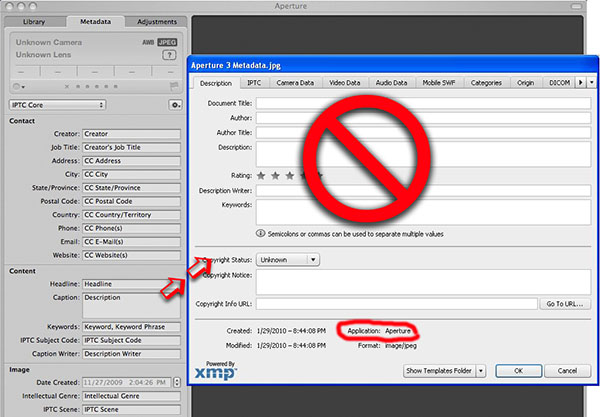
Photographers need to be aware that there are some real concerns regarding how Apple Aperture 3, is writing metadata; especially when these files are viewed by other applications in an imaging workflow.

Those using Aperture to write metadata to files that will be used with other programs at some point in their workflow need to do some testing. Those sharing images with others directly, or via the Internet may find that even basic fields like the Caption/Description and Keyword fields are not visible after exporting from Aperture 3.

You need to understand what is happening if you do additional work in Photoshop or Lightroom, and then archive your images using other programs. Otherwise you risk having some or all of your metadata disappear. This is because other programs may not see (recognize) the information you are adding to your images with Aperture 3. In addition, if you are importing images that have been worked on in other programs, some of that metadata may not be recognized or stored within Aperture.

You should really be concerned if you are fully using the various metadata fields, such as the Rights Usage Terms, Location fields, or geo-tagging your images, as many of these fields (and others), are not showing up in Photoshop, Adobe Bridge, Photo Mechanic, or Expression Media, after being exported from Aperture 3.

Visit the "Apple Aperture 3 Metadata Issues" article to find out more, including access to a chart that maps out what is seen and what is lost or hidden in JPEG, TIFF, DNG and proprietary NEF files.

Thursday, December 3, 2009

Do Social Media Websites Preserve Photo Metadata?


Do the social media websites or other image sharing services you use preserve your embedded photo metadata after upload? The members of the Controlled Vocabulary forum are attempting to answer that question by conducting a survey of the various services to find out.

Most readers of this blog know what we mean when we talk about photo metadata, such as the photographers name, copyright notice, captions, and keywords that can be embedded into image files. It takes effort and time to add this to each digital file, but does provide a way for those wishing to use the file to contact the owner, or know what is going on in the image.

It seems hard to imagine that simply by uploading an image to a website that all this work could be undone. However, from reviewing the preliminary results of the survey it appears that many services are doing just that.

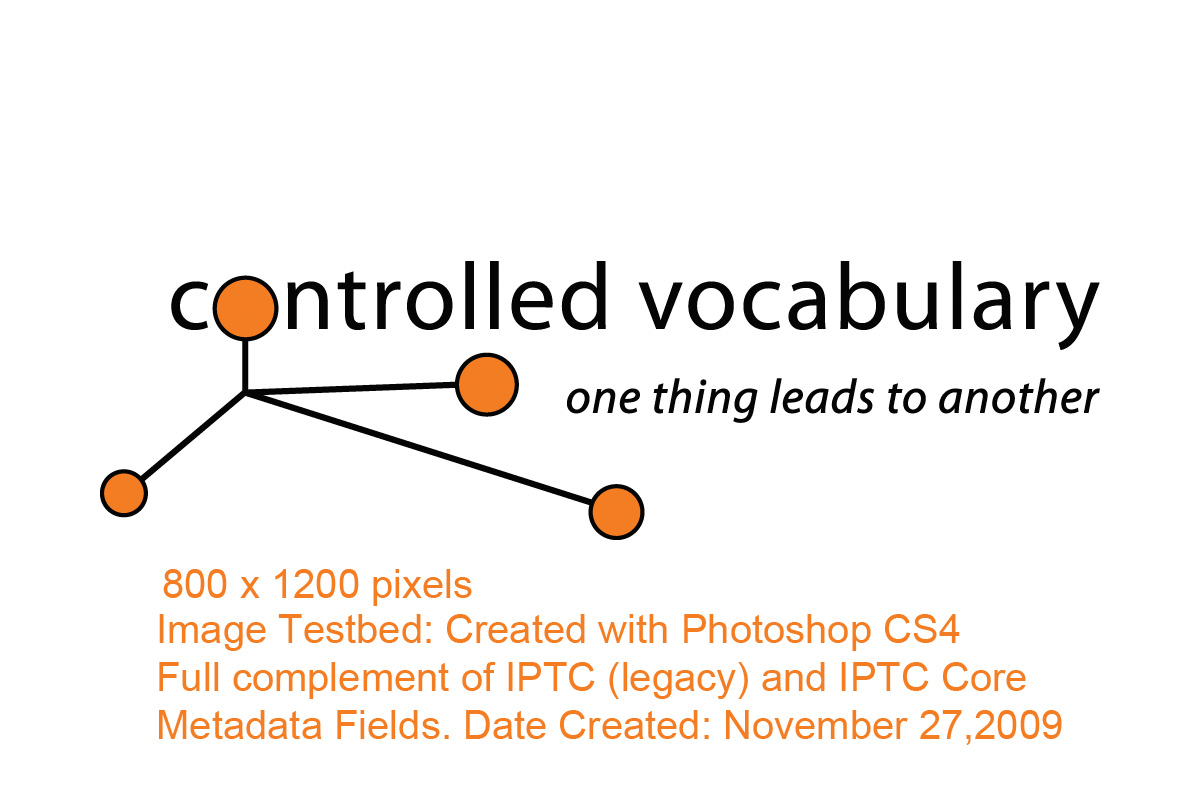
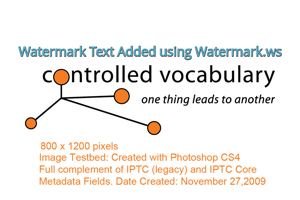
If you don't find your favorite service in the list of preliminary results, there are instructions on the Controlled Vocabulary Survey regarding the Preservation of Photo Metadata by Social Media Websites web page if you want to help out with the survey. You can download the testbed file seen here, and use it, or test with your own images. Full instructions on using a simple online tool to view the metadata after upload are included. What you should be seeing in the image is something that includes IPTC, XMP, and Exif metadata as in the testbed image on the site. However the image that was uploaded to the Blogspot platform to accompany this post has had all of it's metadata removed.

It appears that even Google has left room for improvement.

Saturday, September 5, 2009

A Big Game Safari of a Different Sort


In a post titled "Tracking the Mac OS X Snow Leopard Photographer" on the Photo District News (PDN) blog, Daryl Lang details the steps he took to track down the origin of the photo of the big kitty on the cover of the new Apple OS X release.

In brief they were:

Step one: Poke around on the Internet.
Step two: Tineye.
Step three: Twitter.
Step four: Ask Apple.
Step five: PACA OrphanSearch.

David Sanger points out in a reply, the obvious step they missed -- checking to see if there was any metadata in the image itself, since there is a version of the cover image distributed with the new OS. In this particular instance a search would have also resulted in a "fail" as well. However, anyone that followed the results of our SAA "Meta Survey" of stock image distributors, would know that the image which Apple licensed from Corbis would have had this embedded information when it was licensed. So the real question is, at what step in the process was it removed and why?

Enquiring minds want to know and absent any answers, the hunt will have to continue.

Monday, July 27, 2009

Riecks named Pioneer of Digital Preservation


David Riecks, project leader for the Stock Artists Alliance Photo Metadata Project is the most recently named Library of Congress "Pioneer of Digital Preservation." The award reflects his work with photo metadata standards through efforts such as the IPTC Photo Metadata Working Group, and the Stock Artists Alliance PhotoMetadata.org Web site.

This Library of Congress program has only existed since 2000. The relatively new field of digital-information management is thus reliant on individuals and organizations that are willing to embark on cutting-edge programs that will lead others to follow their examples.

The profiles of these digital preservation pioneers feature how each individual's or organization's work enriches the work that all libraries and other repositories are doing to collect and preserve our digital heritage. You can view the complete list of digital preservation pioneers for some other interesting stories.

Friday, June 19, 2009

Get yourself to getMETAsmart!


The getMETAsmart tour is well underway. In the past month, David Riecks has traveled to Dallas, San Antonio, Seattle, San Francisco and Los Angeles. Space is still available for this series of free evening seminars. Upcoming stops include New York City (June 22nd) and Washington DC (June 25), as well as Chicago, Atlanta, and Tucson in the upcoming months.

You will learn how using standard metadata can help protect your copyrights, support your licensing efforts, smooth your workflow, and help you manage ever-expanding digital archives. There have been a few reports about the getMETAsmart program so check them out if you want to see what others have to say, and be sure to sign up today.

Thursday, May 21, 2009

The Secret Life of Photo Metadata

David Riecks presented a key paper on photographic metadata May 7 at at the Archiving 2009 conference in Crystal City, Va. Riecks produced and shared the paper - titled "The Lifecycle of Embedded Image Metadata within Digital Photographs: Challenges and Best Practices (or The Secret Life of Photo Metadata)" - for the Stock Artists Alliance under the group's award from the Library of Congress' Preserving Creative America, National Digital Information Infrastructure Preservation Project. This year's Archiving conference drew about 150 attendees from some dozen countries. For details on the conference visit the Imaging Science and Technology website.

Riecks focused on how museums and libraries can use text information many professional photographers embed in their digital images, much as researchers use handwritten notes on the backs of prints.
This information can speed cultural heritage institutions' efforts to make those same images (once they become part of their collection) available to patrons in a digital format.
For details on the Stock Artists Alliance Photo Metadata Project visit PhotoMetadata.org.

Saturday, December 20, 2008

Hearst 8 x 10 Biennial requires photographers to make orphans of their images?

The publisher that brings you Cosmopolitan, Esquire, Good Housekeeping, The Oprah Magazine, and Town & Country is holding their 8 x 10 Biennial photo competition this year, seems intent on having photographers making their submitted images potential "Orphan Works" by requiring them not to include their name within the metadata of the image.

My question is why?

There is no entry fee, and applicants may submit up to 16 images as part of a single entry, however, the requirements for the digital images submitted include this note:
"Important note: To ensure a fair and unbiased selection, entries are to remain anonymous. Submissions that contain a photographer’s name and/or contact information within the file name, caption field or metadata will be disqualified."
The judges include a number of professional photographers, and unlike some other "contests" this one doesn't seem to be a rights grab, as Heart Corporation is only stating that they reserve "...the right to use the award recipient’s name, likeness, biographical information, and project images in perpetuity for publicity and promotional materials related to the Hearst 8x10 Photography Biennial and Hearst Corporation."

That seems fair enough, the photographer isn't giving up the rights for them to use their photos for anything they wish, or allowing them to license them to others. So again, I have to ask: why is having metadata in the image that identifies the photographer an issue? Are the judges going to be sent a CD, or directed to a website where they will view the images independently...and the folks from Hearst are afraid that someone will show favoritism if they can determine who took the photo?

However, wouldn't it be easier to simply process all the images that are shared with the judges and remove or replace any identifying information with a code that only they will know? This way, one set of the images has the photographers copyright and contact info for future reference. Besides, if they don't have some identifying information in the images, just how are they going to keep track of who has actually won?

Wednesday, November 12, 2008

Major Publishers Adopt PLUS Standards


A press release from the PLUS Coalition today announced:

"Representatives of McGraw Hill, Houghton Mifflin Harcourt, and Pearson each announced that they will adopt the Picture Licensing Universal System (PLUS) Picture Licensing Glossary definitions in their contracts, and that they encourage image suppliers to begin embedding PLUS license metadata in all images within one year."

The publishers voiced their support at the "PLUS Takes Root in the Publishing Industry" event hosted by the Picture Archive Council of America, during their recent International Conference in New York City.


Some of you may be aware of the work of PLUS, but for those of you that aren't aware; here is the elevator speech: The PLUS coalition is an international non-profit organization dedicated to simplifying and facilitating the communication and management of image rights. It includes all of the groups involved in the picture licensing industry (publishers, picture archives, photographers, illustrators, designers, advertising agencies, museums, libraries, artist representatives, educational institutions, manufacturers and their associations ) which have jointly developed a standard for describing (PLUS glossary and Media Matrix), recording (PLUS License Definition Format), embedding (PLUS License Embedder), and reading (PLUS License Reader) licensing information for images.

Today's announcement shows that the movement is finally coming to fruition, as the biggest publishing companies are adopting the PLUS standards, and recommending image makers to start using these standards as part of their workflow.

Details including the full press release can be found on the PLUS website.

When you visit the site, take some time to learn about the PLUS Embedder, an application that can be used in tandem with the PLUS website to generate licenses and define licensing terms that can be added to each image provided to clients and third parties as embedded metadata.

The PLUS Coalition includes participants in thirty countries, and receives significant support from Leadership Circle members Adobe, Adbase, Adobe, Pentagram, Jupiterimages, Digimarc, Belay Development, Getty Images, IDEAlliance, ImageSpan, Photo District News, IPTC, NAPP, PACA, StockPhotoFinder, Swan Turton, WongDoody and Capture.

Tuesday, November 11, 2008

iView Multimedia Web Site End Of Life


Douglas Norton, SSDE for Expression Media with Microsoft Corporation passed along the following to the members of the Controlled Vocabulary Forum yesterday.

It is now over 2 years since iView Multimedia Ltd. was acquired by Microsoft, and in that period we have been able to keep the iView web site available for those that needed the resources it contained.

Very shortly (in a week or so), that site will be removed from service. The future plans for its content are being discussed, but you should treat this email as a warning that the information may cease to be available.

If there is any information that you frequently access on that site, you should take whatever steps you need to secure your continued access to that information. You should act now.

In particular, you may wish to make backup copies of the iView MediaPro installers should your current copy become unserviceable. Additionally, information in the online guides and the forum may be of particular interest and you should ensure that you have a copy or printout.

Useful links:
iView Multimedia website
Expression Media website
Expression Media forum

Regards,

Douglas